Short answer
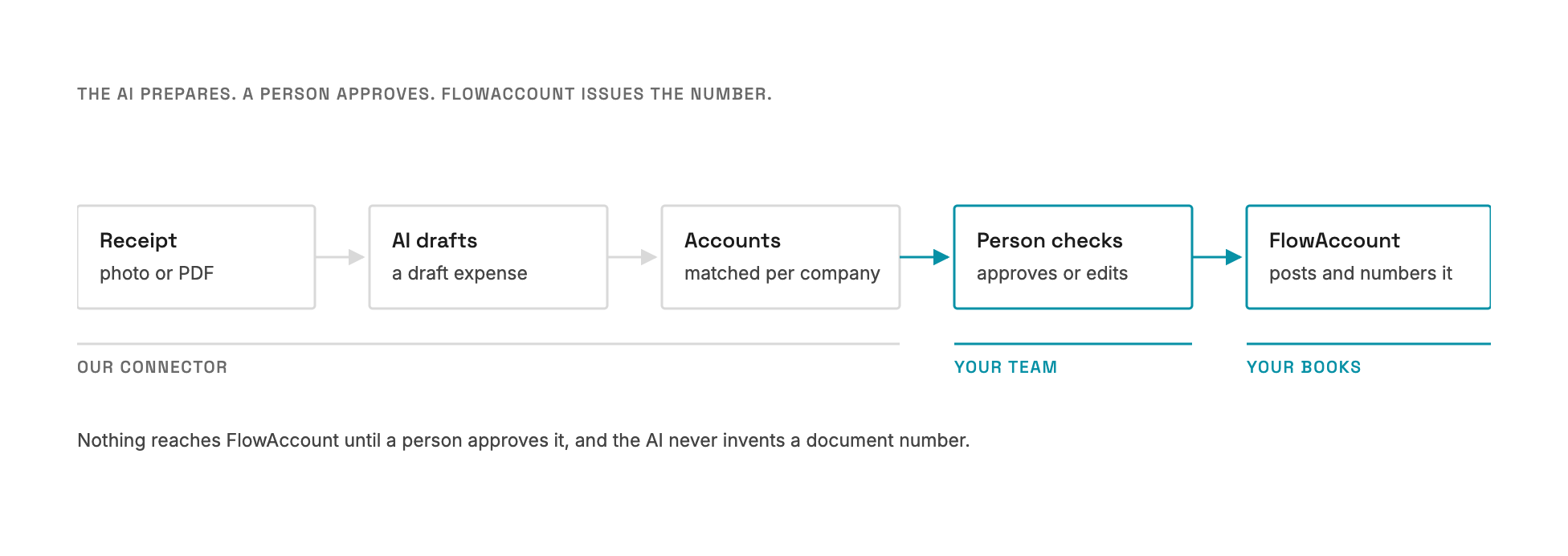
Connecting FlowAccount to an AI assistant such as Claude is quick: API access, a sandbox and a working connection took us a few days. The real work is making sure anything the AI prepares lands in the right account in the right company's books, with a person approving it. If you only want to ask questions about your books, FlowAccount's own Claude connector may already be enough.
Our first connector was for an industrial supplier in Thailand whose books, like those of many Thai businesses, live in FlowAccount. We wrote about why approvals matter more than access. This post is the practical part: what connecting FlowAccount actually involved.
Getting access
Three things, in order:
- A plan with API access. In December 2025 FlowAccount offered two routes: its Business Pro plan, which includes API access alongside the normal accounting features, or a separate OpenAPI package for API-only use. Pick based on whether the business also uses FlowAccount day to day. Prices change, so check FlowAccount's current plans.
- A sandbox first. FlowAccount prepares a sandbox environment on request. Ours arrived three days after we asked. Build and test there, never against live books.
- Credentials that expire. The API uses OAuth2. Access tokens last about an hour, so the connector fetches a new one when the old one runs out instead of failing mid-conversation.
None of this was hard. It is also the part an official connector now does for you.
The hard part: whose accounts?
Reading data is simple. Writing it is where the work is.
When the AI turns a receipt into a draft expense, that expense needs a debit account and a credit account. Every FlowAccount company has its own chart of accounts, with its own codes and its own internal IDs. "Office supplies" in one company is not the same record as "Office supplies" in another.
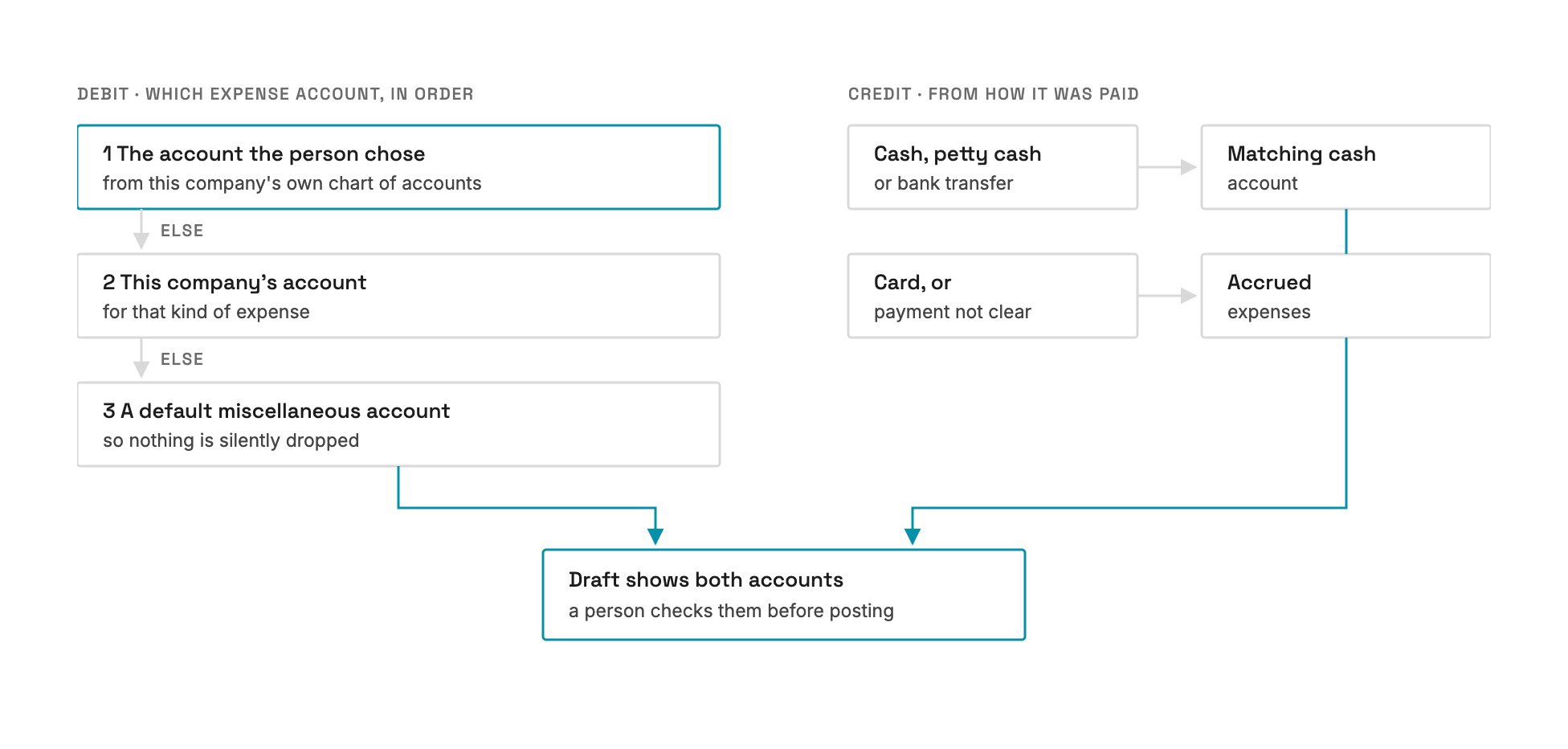
So the connector resolves accounts per company, in a fixed order:
- The account the person chose from that company's own chart, if they chose one.
- Otherwise, the company's own account for that kind of expense.
- Otherwise, a default miscellaneous account, so nothing is silently dropped.
The credit side comes from how the expense was paid: cash, petty cash, bank transfer or card. If the payment method isn't clear, it is booked as an accrued expense. Either way, the draft shows both accounts, and a person checks them before anything is posted.
Who issues the document
One rule kept the books clean: FlowAccount stays the source of truth. Our side holds drafts. When a person approves, the document is posted to FlowAccount, and FlowAccount issues the number. The AI never invents a document number and never posts on its own.
We validated the flow with an accounting firm that keeps books in FlowAccount for its clients. Their question was never "does the AI work?" It was "will this put things in the right place, and can I check it first?"
What we learned
1. Use the official connector when it is enough. FlowAccount now offers its own connector for Claude. If you want to ask questions about your books, start there. A custom connector earns its cost when you need more: turning receipts into drafts, checking them against what is already booked, or working across FlowAccount and another system, such as your bank or payments account, in one conversation.
2. Map the chart of accounts before building anything. Most of the effort in an accounting connector is matching your expense categories to each company's accounts. Agree that mapping with whoever closes the books.
3. Drafts, not postings. Let the AI prepare and a person post. It is the rule that makes accountants comfortable enough to use it.
4. Plan for tokens and timeouts. Credentials expire and requests can hang. A connector that renews its own access and gives up cleanly after a timeout is one nobody has to babysit.
Who this is for
- Businesses that keep their books in FlowAccount and want to ask about them, or prepare documents, in plain language.
- Accounting firms that manage several FlowAccount companies and want receipts turned into checked drafts.
- Teams that use FlowAccount alongside other tools and want one conversation across them.
More detail is on our FlowAccount connector page, including what we add on top of FlowAccount's own connector.